
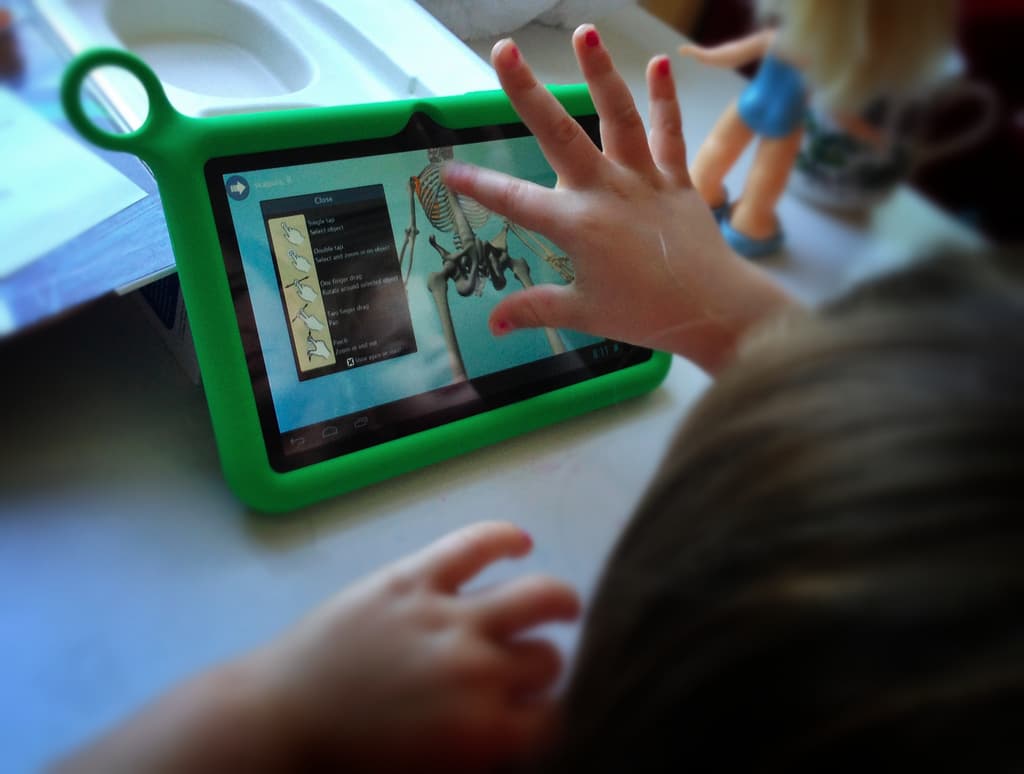
How Kids Use Apps to Get a Feel for Digital Learning
It is human nature for children to learn through touch. Long before a child can read a single word or solve a simple math problem, they are already exploring the world with their fingertips. From the moment a toddler reaches up to touch a parent's face out of sheer curiosity, the brain is actively forming connections between physical sensations and meaningful concepts. This deeply ingrained tactile instinct does not disappear when children enter the classroom — and today's educational technology is designed to take full advantage of it.
The rise of touch-screen devices, interactive apps, and digital learning platforms has created an unprecedented opportunity to meet children exactly where their natural learning tendencies already live. By understanding how and why kids engage with apps, parents and educators can make smarter, more effective decisions about integrating technology into everyday learning routines.
The Science Behind Touch-Based Learning in Children
Child development researchers have long recognized that tactile engagement accelerates cognitive development. When a child physically interacts with an object or concept — whether by holding a block, drawing a letter in sand, or tapping a touchscreen — multiple areas of the brain activate simultaneously. This multi-sensory engagement helps children retain information far more effectively than passive observation alone.
Touchscreen devices naturally tap into this mechanism. When a child swipes to turn a page in a digital storybook, drags a letter to complete a word, or taps an image to hear its name, they are doing far more than playing. They are building neural pathways that connect action with outcome, gesture with meaning, and curiosity with discovery. This is precisely why so many well-designed educational apps feel intuitive to children almost immediately — the interface mirrors the way young minds already want to engage with the world.
What Makes Educational Apps Effective for Young Learners
Not all apps are created equal, and the difference between a truly educational tool and a flashy distraction often comes down to a few core design principles. The best apps for children share several key characteristics that align with how kids naturally process and retain new information.
- Immediate feedback: Children learn best when they receive instant responses to their actions. Educational apps that congratulate correct answers or gently redirect wrong ones keep young learners engaged and informed in real time, preventing frustration and reinforcing confidence.
- Adaptive difficulty: High-quality learning apps adjust their challenge level based on a child's performance. This ensures the content remains stimulating without becoming overwhelming, keeping the child in what educators call the "zone of proximal development."
- Narrative and character engagement: Apps that incorporate storytelling or lovable characters give children emotional anchors for new information. A child is far more likely to remember a vocabulary word introduced by a character they adore than one presented on a plain flashcard.
- Repetition without boredom: Repetition is essential for memorization, but it must be disguised through variety. The best educational apps present the same concept through multiple mini-games, animations, and challenges, reinforcing learning without dulling enthusiasm.
- Parent and teacher integration: Apps that offer progress tracking and reporting tools allow adults to stay informed and involved, turning digital learning into a shared experience rather than an isolated one.
Popular Categories of Educational Apps for Children
The educational app market has expanded dramatically over the past decade, offering tools that span virtually every subject area and age group. Some of the most impactful categories include reading and literacy apps, mathematics and logic apps, science exploration tools, creative arts applications, and language learning platforms.
Reading and literacy apps have been among the most transformative. Platforms that allow children to follow along with narrated stories, tap words to hear their pronunciation, and complete interactive comprehension activities have helped accelerate early reading skills in children who might otherwise struggle with traditional printed materials. For children with learning differences such as dyslexia, these apps can be genuinely life-changing.
Mathematics apps leverage the tactile interface particularly well. Dragging and dropping objects to practice counting, drawing shapes, or arranging number sequences on a screen gives abstract mathematical concepts a physical dimension that helps young children grasp them more concretely. This hands-on approach bridges the gap between manipulatives used in physical classrooms and the increasingly digital world children inhabit.
Balancing Screen Time with Meaningful Engagement
One of the most common concerns parents raise about educational apps is the question of screen time. How much is too much? The answer, according to pediatric health organizations, depends significantly on the quality of the content and the level of adult involvement during use. Passive screen time — watching videos without interaction — differs fundamentally from active screen time, where children are making decisions, solving problems, and engaging their minds.
Experts generally recommend that parents co-view or co-play with younger children whenever possible. Sitting beside a child as they use a learning app, asking questions about what they are doing, and connecting the digital content to real-world experiences dramatically increases the educational value of the activity. A child who taps a picture of an apple in a vocabulary app and then picks up a real apple moments later is reinforcing learning through exactly the kind of multi-sensory, connected experience that the brain is wired to retain.
The Role of Educators in the Digital Learning Landscape
Teachers play a crucial role in shaping how children relate to educational technology. When apps are integrated thoughtfully into classroom instruction — used as supplements to hands-on activities rather than replacements for them — they can elevate the entire learning experience. Educators who take the time to evaluate apps critically, select tools aligned with curriculum goals, and communicate their choices to families create an environment where digital learning feels purposeful rather than incidental.
Professional development for teachers around EdTech tools remains an important priority. Educators who understand how to leverage the interactive capabilities of apps — designing lessons that move fluidly between digital engagement and physical activity — are best positioned to meet the diverse learning needs of today's classrooms.
Looking Ahead: The Future of Touch-Based Digital Learning
As technology continues to evolve, the possibilities for touch-based digital learning are expanding rapidly. Augmented reality apps that overlay educational content onto the physical world, haptic feedback tools that simulate texture through touch, and artificial intelligence-driven platforms that personalize learning in real time are all moving from experimental to mainstream. For children growing up today, the boundary between physical and digital learning is becoming increasingly fluid — and that is something educators and parents can approach with thoughtful optimism.
The core truth remains simple: children learn by touching, exploring, and interacting with their environment. The most effective educational apps do not fight that instinct — they embrace it, channel it, and use it to open doors to knowledge that might otherwise remain firmly closed.